Scan
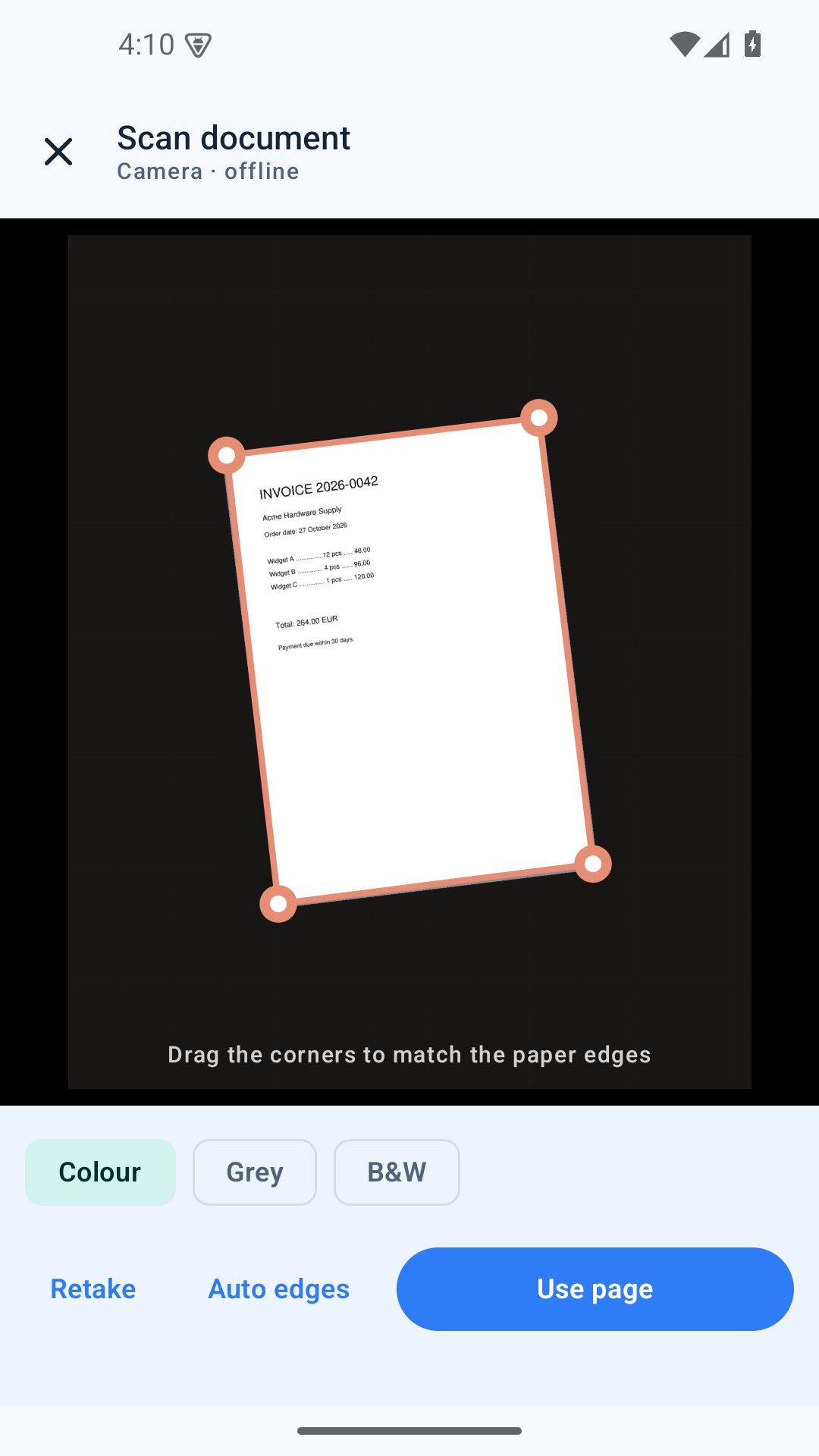
Camera capture with automatic page-edge detection, true perspective correction, colour / grey / B&W filters and multi-page sessions.
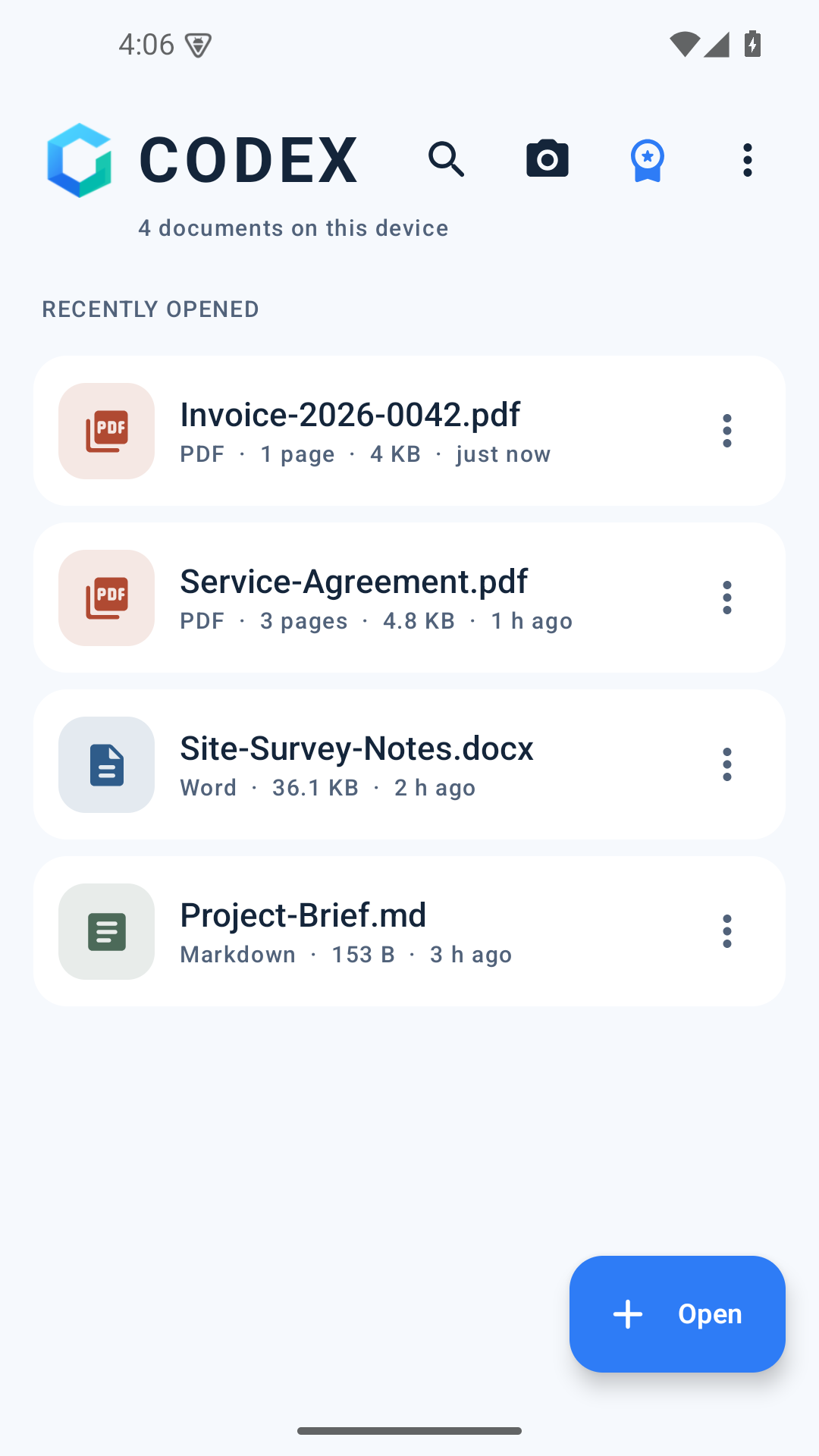
 CODEX
Coming to Google Play
CODEX
Coming to Google Play
Offline document suite for Android
Scan, read, annotate, edit, sign and organise PDFs and documents — on your phone, with no ads, no accounts and no subscription. CODEX has no internet permission at all, so your files cannot leave the device.
Android 8.0+ · Free with a one-time Pro unlock · No internet permission
Tools
Camera capture with automatic page-edge detection, true perspective correction, colour / grey / B&W filters and multi-page sessions.
On-device text recognition adds an invisible layer, so scans become searchable and copyable — still with no upload.

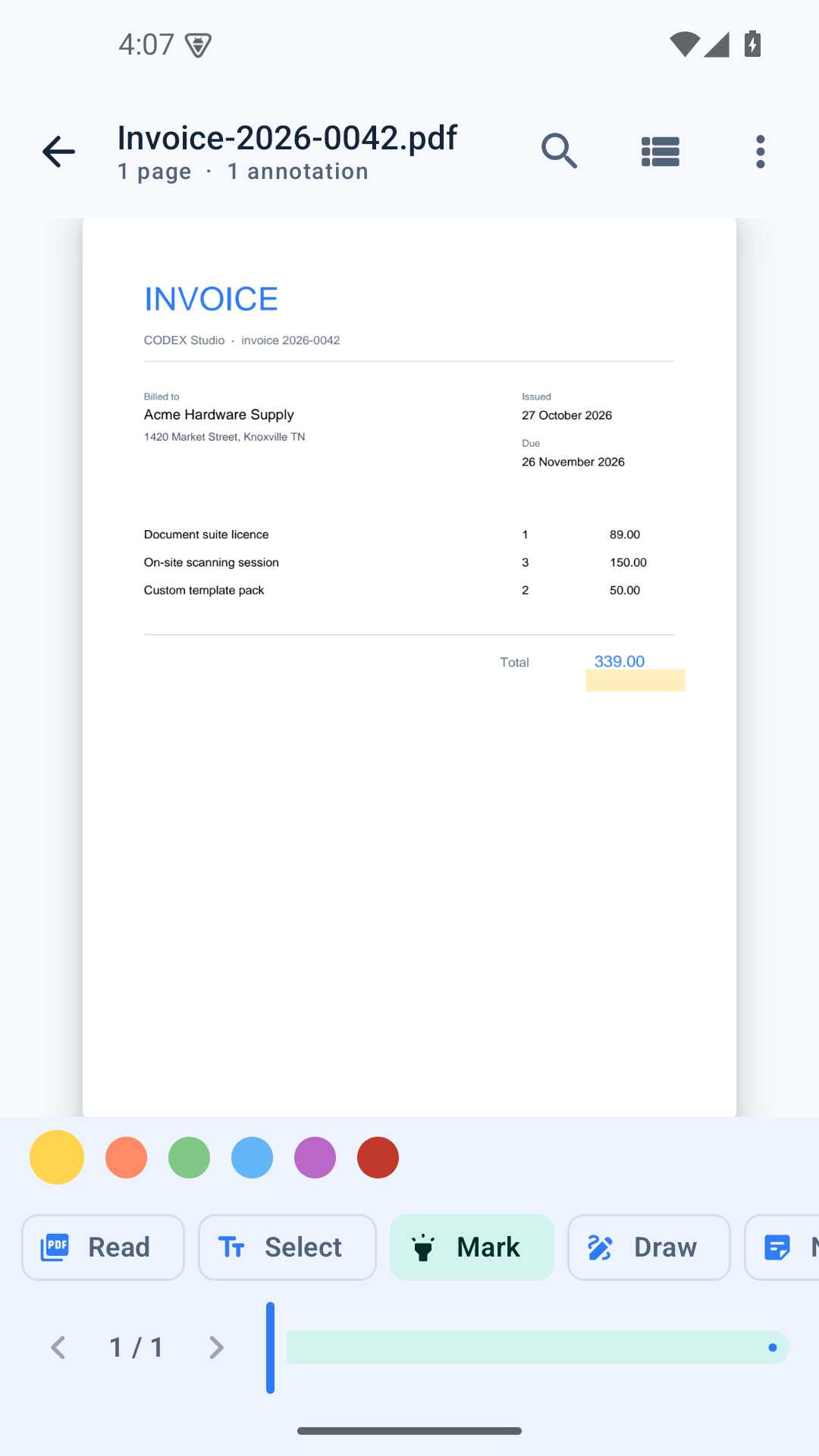
Fast rendering, thumbnails, full-text search, highlights, ink, sticky notes, reusable signatures and night reading mode.
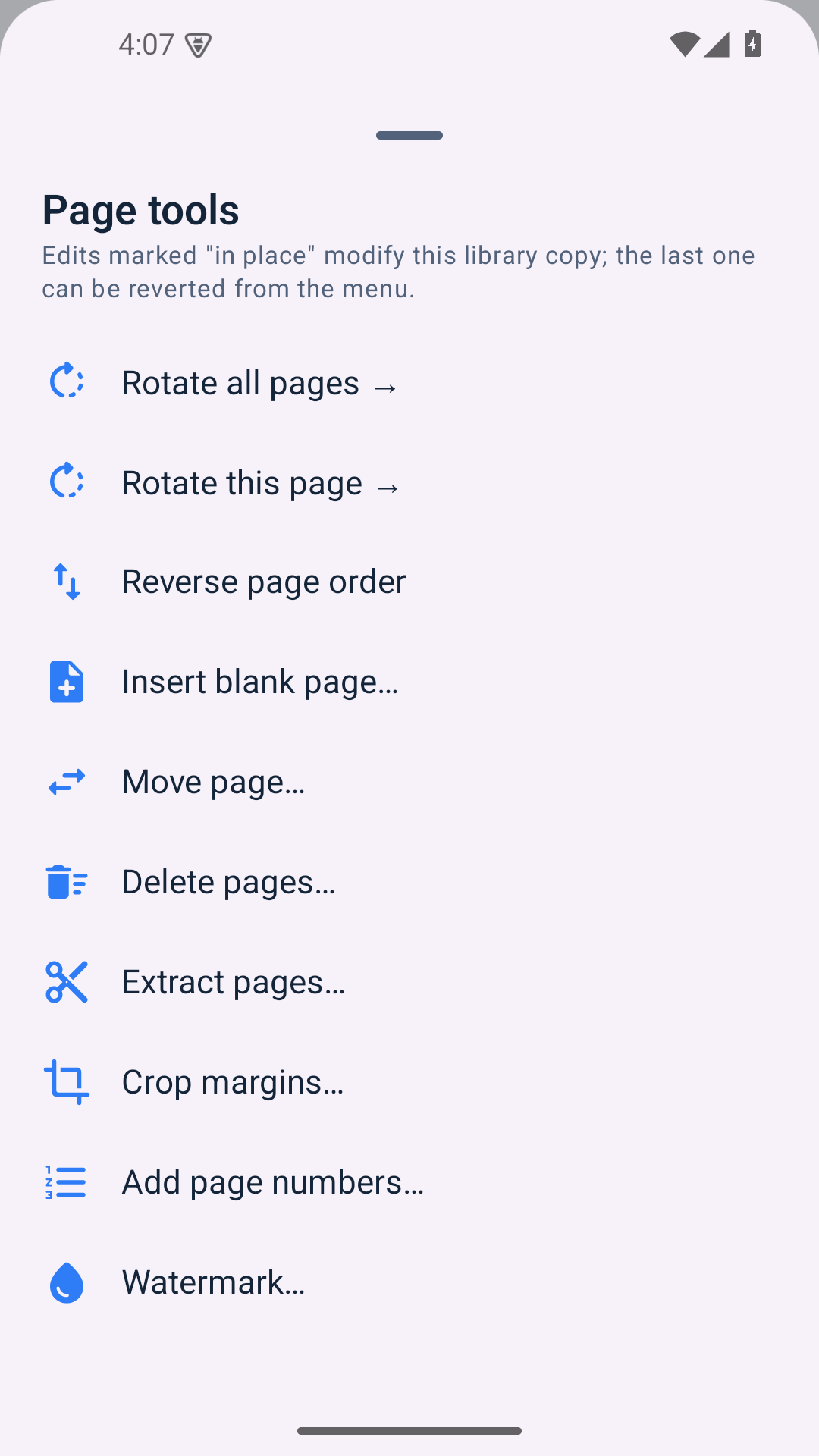
Drag-to-reorder pages, merge, split, extract, rotate, crop, insert blank pages, reverse and move pages.

Images to PDF, pages to images, text and Markdown to PDF, plus local Word, HTML, RTF, ODT and EPUB reading.
AES-256 password copies, metadata editing, watermarks and flattening — all written locally.
Fill text fields, checkboxes, radio groups and choice lists, then flatten the answers into the page.
Export every page as a PNG or split a document into one PDF per page, straight into a folder you choose.
A look inside
Pricing
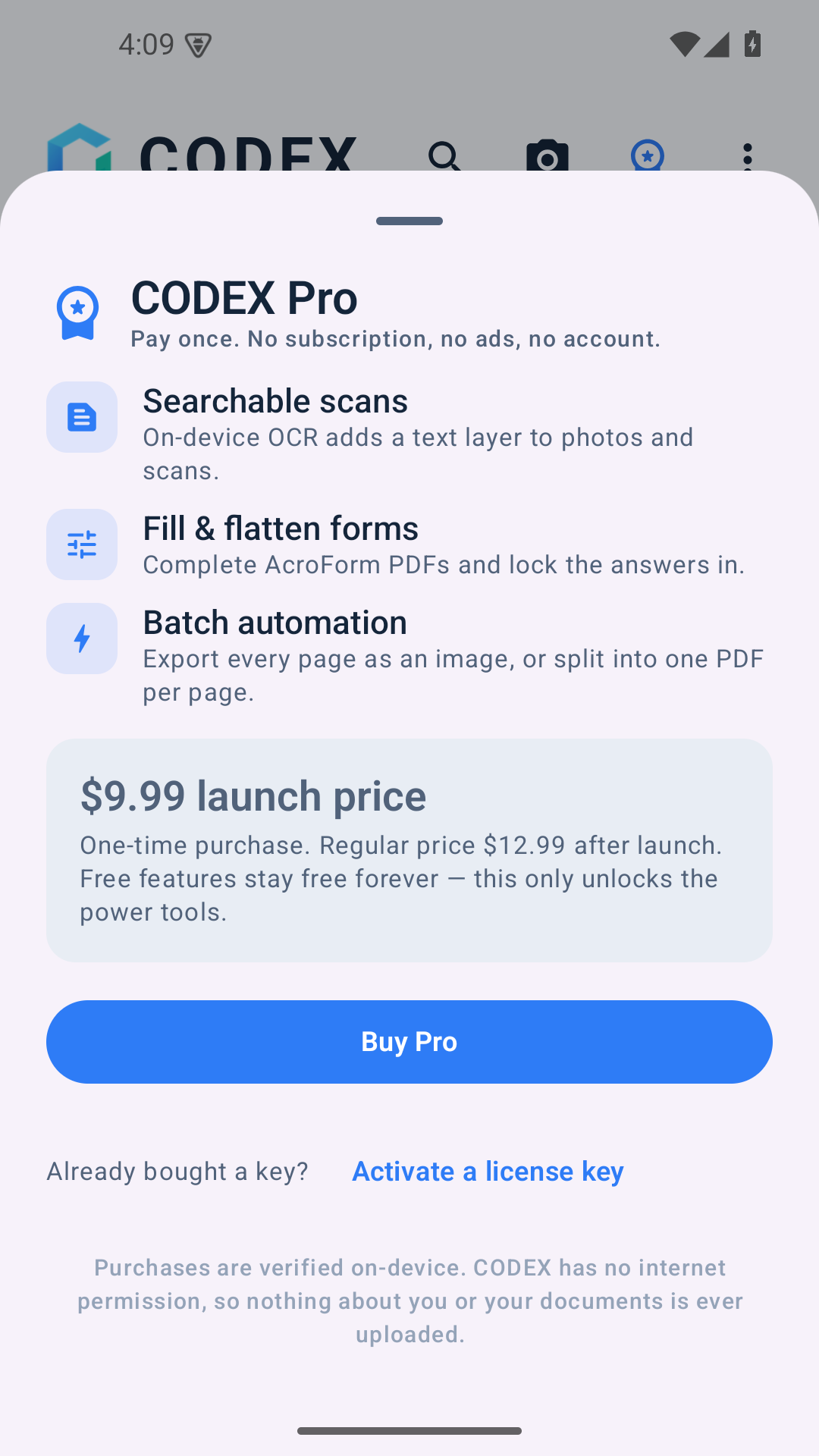
The free version reads, annotates, scans, merges, splits and exports. Pro adds the tools that are expensive to build — OCR, forms and batch automation — for a single payment. No subscription, no expiry, no watermark.
$9.99 launch price · $12.99 regular · pay once
Privacy by construction
CODEX does not request the Android INTERNET permission. There is no analytics,
no advertising SDK and no cloud processing. Camera scans, OCR and PDF edits run on your phone.
Files live in the app’s private storage, and uninstalling removes them.
Behind the app
CODEX is a product of Off Rails. We build offline-first tools for everyday document work — software that does its job and then gets out of the way.
Questions go straight to the people who build it. No ticket queues, no chatbots.
Questions
Yes. The app has no internet permission, so every feature — including OCR — runs locally. There is nothing to upload and no account to create.
CODEX keeps its own copy in private app storage, so edits never touch your originals. Removing a document deletes that copy; uninstalling removes everything.
$9.99 at launch, $12.99 afterwards — one time. It unlocks OCR, form filling and batch automation. Everything else stays free forever.
Android 8.0 and newer. The app is built for phones and works in portrait or landscape.
Yes — invoices, contracts, scans, forms and signatures are everyday use. Check your organisation’s policies before processing confidential documents on a personal device.
It is in final preparation. Email admin@off-rails.com for early access.
Tell us what you need to scan, sign or organise — we’ll send an early-access build.